
The Scenario Modeler is designed to assist you with the process of balancing inventory.
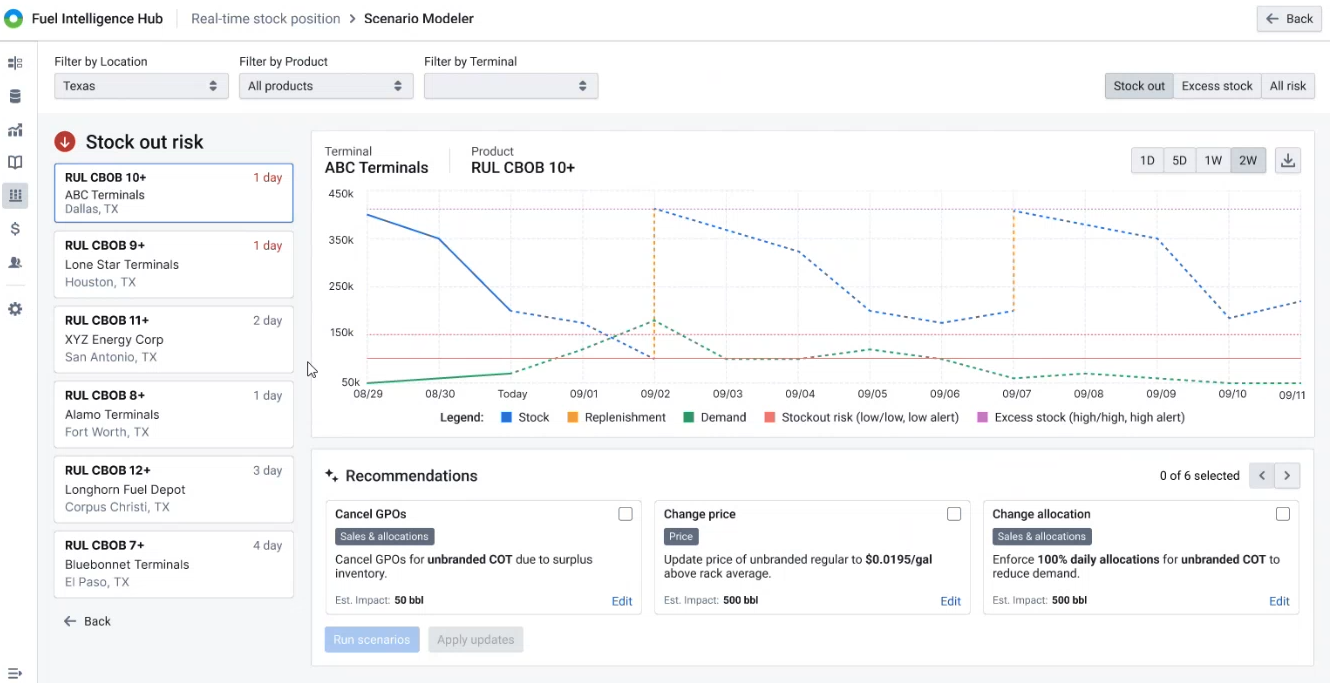
The graph displays past stock levels (solid line) and forecast stock (dotted line) for the selected period.
The Recommendations section displays the suggested scenarios for balancing your inventory position.
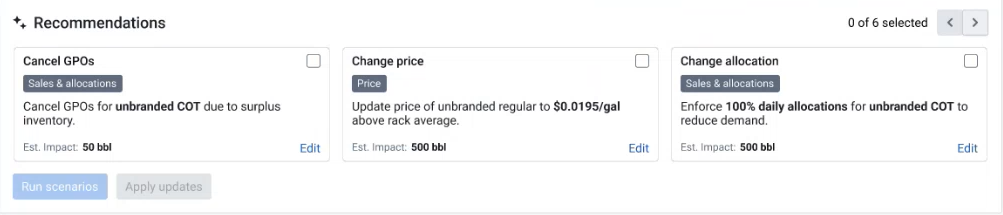
How to Use Recommendations
For this scenario, we will select Cancel GPOs.
Click the Edit button if you want to make modifications to the recommendation.
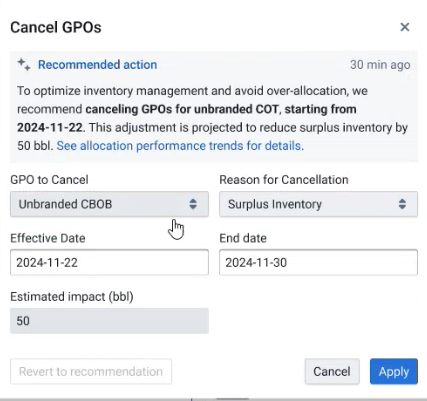
The Cancel GPOs window displays the recommendations. Review and click Apply.
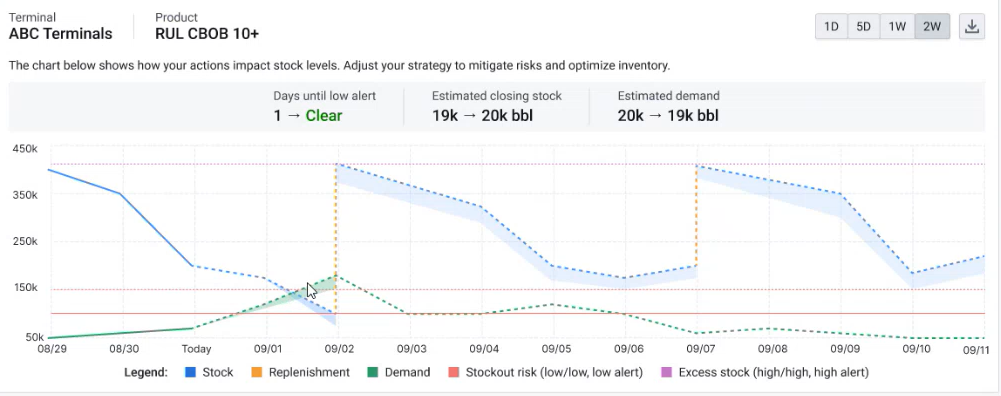
The graph will now display how the scenario may impact stock levels.
Back to Stock Risks.